


Setting out to redesign your website can feel overwhelming if you are not sure what you actually need it to achieve. For many small business owners in Grantham and Lincolnshire, every pound spent must directly support growth and win the trust of local customers. Defining your goals and understanding user needs is the first and most important step. When you are clear on your direction, your new website becomes a practical tool for real business results-not just a digital placeholder.
Quick Summary
| Key Insight | Explanation |
|---|---|
| 1. Define clear business goals | Establish specific, measurable objectives for your website to guide its design and functionality. |
| 2. Understand your target users | Create user profiles to address their needs and preferences aligning with your business goals. |
| 3. Create a logical site structure | Develop a sitemap to ensure easy navigation and intuitive content organisation for visitors. |
| 4. Implement essential custom features | Focus on building key pages with functionality that directly drives business results and user engagement. |
| 5. Monitor and adapt post-launch | Continuously analyse site performance and visitor behaviour to identify and fix issues for improvement. |
Step 1: Define your business goals and user needs
Before you invest time and money into a website redesign, you need to be crystal clear about what you want it to do. This foundational step determines everything that follows, from the colours you choose to the features you build. Your website isn’t just a digital brochure sitting in the corner of the internet. It’s a tool that should work hard for your business, and that means understanding both where you want to go and who you’re trying to reach.
Start by asking yourself some straightforward questions about your business objectives. What do you want your website to achieve in the next 12 months? Are you trying to generate leads for your services, sell products directly, build brand credibility, or simply provide information to existing customers? Write these down. Then, make them specific and measurable using SMART goal framework principles. Instead of “increase sales,” aim for “generate 20 qualified leads per month from local searches.” Instead of “improve visibility,” target “rank in the top three results for ‘plumbing services Grantham’ within six months.” These concrete targets give your designer something tangible to build towards and give you a clear way to measure success later.
Now think about your users. Who are they really? If you run a carpentry business in Lincolnshire, your ideal customer might be homeowners aged 35 to 60 who are planning a kitchen renovation and searching online for reliable local tradespeople. If you offer consulting services, you might be reaching business managers who are evaluating solutions to specific problems. Understanding your users means recognising what problems they’re trying to solve and what information they need before they’ll trust you with their money or project. This is where balancing user needs with business goals becomes crucial. Your website won’t succeed if it only speaks to what you want to say. It has to answer the questions your customers are actually asking and solve the problems keeping them awake at night.
Create a simple user profile for your primary audience. What device are they using when they find your site? Mobile on their commute? Desktop at home? What language or tone makes them feel confident in your expertise? A young tech startup founder wants different communication than a 50-year-old family business owner. Your website needs to speak their language and address their specific concerns. When you align your business objectives with genuine user needs, you stop building for yourself and start building for actual customers. That’s when websites become effective.
Practical tip Document your top three business goals and your primary user profile in writing before your first design meeting, then share them with your web designer so you’re working from the same brief from day one.
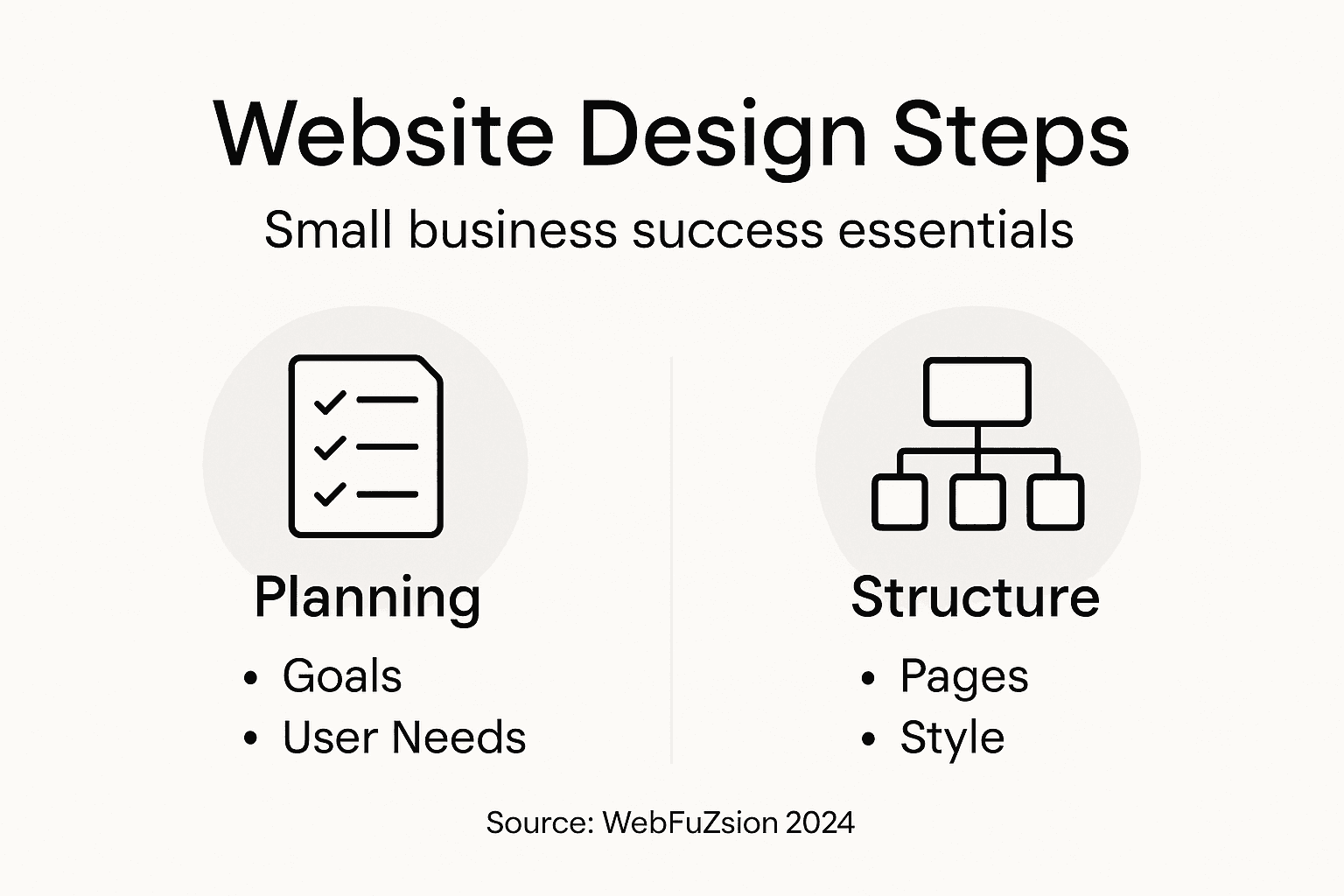
Step 2: Plan your website structure and design style
Now that you know what your website needs to accomplish and who it’s for, it’s time to map out the actual blueprint. This is where you decide how visitors will navigate through your site and what visual identity will greet them when they arrive. Your website’s structure and design style work together to either make customers feel welcome and confident or confused and frustrated. Getting this right before you start building saves you thousands of pounds in redesigns later.

Start by sketching out your information architecture, which is simply the way you organise your content and pages. Think about what sections a visitor needs to find first. For a local business in Grantham, this might mean having an obvious “Services” section, a clear “About Us” page, and an easy way to contact you. If you sell products, you need a logical product catalogue structure. A service business might benefit from client testimonials displayed prominently. Write down all the pages you think you need, then group them logically. Create a rough sitemap on paper or using a simple tool that shows how pages connect to each other. This doesn’t need to be fancy, but it does need to make sense. When visitors land on your site, they should be able to find what they’re looking for within two or three clicks without feeling lost.
Design style is about creating a visual language that reflects your business and makes people trust you. Your colours, fonts, imagery, and overall aesthetic should align with your brand identity and appeal to your specific audience. A professional accounting firm needs different visual treatment than a creative design agency or a local café. Consistent visual branding through colour and typography builds recognition and makes your site feel polished rather than cobbled together. Look at competitors you admire, collect inspiration, and think about what mood you want to create. Are you trying to feel trustworthy and established? Modern and innovative? Friendly and approachable? Your design choices communicate this before anyone reads a word.
Before committing to anything permanent, sketch wireframes or simple mockups showing the basic layout of your key pages. You don’t need sophisticated design software or graphic design skills. Paper sketches or using free online wireframing tools help you visualise how information flows and whether navigation makes intuitive sense. This is where you test your ideas cheaply before a designer invests weeks building something that doesn’t work.
Practical tip Create a one-page document showing your sitemap structure and a mood board of three to five design references that represent the style you want, then share this with your designer so they understand your vision before they start creating anything.
Step 3: Build key pages with custom functionality
With your structure and design style mapped out, you’re ready to build the pages that actually do the work. Your website isn’t just somewhere to look pretty. Each key page needs to serve a specific purpose and deliver real value to your business. This is where generic templates fall away and custom functionality makes the difference between a website that sits idle and one that generates results.
Start with your homepage. This is your first impression, and it needs to immediately show visitors they’re in the right place. Your homepage should communicate what you do, who you serve, and what you want them to do next. For a carpentry business in Grantham, that might mean showcasing recent project photos, displaying testimonials from satisfied customers, and making it dead simple to request a quote. For a service provider, you might feature your core offerings with links to detailed service pages. Then build out your service or product pages. These should explain what you offer, why someone needs it, and how it solves their specific problem. Don’t just list features. Connect them to benefits your customers actually care about. A plumbing company’s page should explain why emergency response time matters, not just that it’s available.
Custom functionality is what separates a professional website from a static brochure. Integrated payment gateways and lead capture forms turn casual browsers into paying customers or qualified leads. If you sell products, you need a shopping cart system that’s secure and easy to use. If you offer services, you need a contact form that actually works or perhaps a booking system that lets customers schedule appointments without ringing you. Think about what would make life easier for your customers and what would save you time handling inquiries. A contact form that routes inquiries to your email is basic. A booking system that automatically confirms appointments and sends reminders saves hours every week. These features exist to serve your business goals whilst making the customer experience smooth.
Don’t try to implement everything at once. Build your essential pages first with core functionality. Add bells and whistles later once you see what actually matters. A small business owner running lean doesn’t need fifteen different features. You need the three or four that directly drive business results. Work with your designer to prioritise functionality that connects to the goals you defined at the start.
Here is a summary comparing key custom website features and their impact on different types of small businesses:
| Feature | Ideal For | Key Benefit | Potential Drawback |
|---|---|---|---|
| Lead Capture Forms | Service-based businesses | Generate qualified new enquiries | Spam if not properly filtered |
| Booking Systems | Appointment-based firms | Automates client scheduling | Can be complex to set up |
| Product Catalogue | Retail & e-commerce | Organises products for quick access | Needs regular updating |
| Testimonial Displays | Any business | Builds trust with new visitors | Ineffective without real reviews |
| Payment Gateway | Shops & product sellers | Enables direct online sales | Requires secure integration |
Practical tip List the top five actions you want visitors to take on your site, then work backwards to identify which pages and custom features will make those actions happen naturally and effortlessly.
Step 4: Optimise content for SEO and local visibility
Your website is now built, but if nobody can find it, all that effort is wasted. Search engine optimisation makes sure that when someone in Grantham searches for your services, your website appears in the results. Local SEO is particularly powerful for small businesses because you’re not competing with the whole world. You’re competing for customers in your region who are actively looking for what you offer right now.
Start by thinking like your customers and researching the words they actually use when searching. If you’re a plumber, people search for “emergency plumber near me” or “boiler repair Grantham,” not “plumbing solutions provider.” These keywords should naturally appear in your page titles, headings, and content. Don’t force them in awkwardly, but weave them into genuine, helpful explanations. When you write about your services, you’re simultaneously telling search engines what your page is about. Your meta descriptions, which are the short summaries that appear below your website title in search results, should be compelling and include your location or key services. A customer glancing at search results needs to know immediately that you’re relevant to their need. Beyond keywords, create content that genuinely helps your audience. A blog post about “How to Spot a Leaking Roof” or “Five Signs Your Boiler Needs Servicing” attracts people searching for solutions and positions you as someone who understands their problems. Incorporating geographical keywords and creating optimised local listings directly boosts your visibility within your region.
Local visibility depends heavily on your Google My Business profile. This is your free listing that appears when someone searches for your business type plus location. Make sure your business name, address, phone number, and hours are completely accurate. Upload quality photos of your work or premises. Encourage satisfied customers to leave reviews. These reviews matter tremendously. A plumbing company with forty five-star reviews appears far more trustworthy than one with none, and Google knows this. Mobile optimisation is critical too. Most people searching for local services are using their phones, often whilst out and about. If your website is slow on mobile or hard to navigate with a thumb, you’ve lost them. Your pages need to load quickly and work beautifully on phones.
Practical tip Create a list of fifteen to twenty search terms your ideal customers actually use, then assign these keywords to your most important pages so each page targets specific searches and your site isn’t competing with itself.
Step 5: Test site performance and user experience
Your website is built and optimised, but before you launch it into the world, you need to make sure it actually works. Testing is the difference between a website that impresses customers and one that frustrates them. A slow website loses visitors. A form that doesn’t submit loses leads. A layout that breaks on mobile loses sales. This step protects your investment and ensures your site performs when it matters.
Start with basic functionality testing. Click every link and button. Fill out every form and make sure submissions go through. Test your contact forms, booking systems, and any payment processing. Open your website on multiple devices and browsers. What looks perfect on your desktop might look terrible on an iPhone or an older version of Internet Explorer that some of your customers still use. Test on actual phones if possible, not just browser simulators. Speed matters more than you think. A website that takes seven seconds to load loses most visitors before they see anything. Use free tools to check your page load times and identify what’s slowing things down. Usually it’s oversized images or unoptimised code. Comprehensive performance and usability testing across devices ensures your website functions smoothly and delivers the experience your customers expect. Test on different internet speeds too. Your website might load instantly on your broadband at home, but what about customers accessing it on mobile data whilst they’re out?
Usability testing means watching real people try to use your site without helping them. Ask a friend or family member to visit your website and complete a specific task, like finding your services or requesting a quote. Watch where they struggle. Do they understand your navigation? Can they find what they’re looking for? Are your calls to action clear, or do visitors wander around confused? This feedback is gold. It shows you problems that you’re too close to see. Once you launch, monitor your analytics closely. How long are visitors staying on your site? Where are they dropping off? Which pages are getting traffic and which are being ignored? This data tells you what’s working and what needs adjustment. Real user behaviour reveals truths that testing can’t always uncover.
To clarify the different types of website testing, here’s a quick comparison:
| Testing Type | What It Checks | Typical Tool/Method |
|---|---|---|
| Functionality Testing | Links, forms, and navigation | Manual click-through |
| Performance Testing | Page load speed & optimisation | PageSpeed Insights, GTmetrix |
| Usability Testing | Ease of use for real visitors | Observing user behaviour |
| Cross-device Testing | Appearance across devices/browsers | Physical device checks |
Practical tip Ask five to ten people from your target audience to test your website and tell you honestly what confuses them or frustrates them, then fix the top three issues before launch.
Step 6: Launch your website and monitor results
You’ve planned, designed, built, tested, and optimised. Now comes the moment of truth. Launching your website is both exciting and slightly nerve-wracking, but with preparation, it’s straightforward. What matters most isn’t the launch itself, though. It’s what you do afterwards. The real work of improving your website happens when real customers start using it.
Before you go live, prepare a launch plan. Choose a time that makes sense for your business. If you’re a service provider, avoid launching during your busiest season when you won’t have time to monitor things. Line up your marketing efforts to coincide with launch. Tell your existing customers, post on social media, and email your list. Your first visitors set the tone for your website’s future performance. Let people know you’ve gone live. Set up your analytics tools like Google Analytics before launch day, not after. You need a baseline to measure against. Once your website is live, stop thinking of it as finished. It’s alive now, and you need to pay attention to how it’s performing. Tracking visitor behaviour, engagement metrics, and conversion rates through analytics tells you whether your website is actually achieving your business goals.
Check your analytics weekly at first. How many people are visiting? Where are they coming from? Google search? Direct links? Social media? Which pages are they spending time on? Where are they leaving? If your goal was to generate twenty leads per month and you’re getting two, something isn’t working. Maybe your contact form is broken. Maybe your service pages aren’t convincing enough. Maybe your SEO isn’t bringing the right traffic. Analytics shows you the symptoms. Your job is to diagnose the cause. Test small changes. Adjust your homepage headline. Change the colour of your call to action button. Rewrite a service description. Measure whether each change improves results. This is called A/B testing, and it’s how good websites become great ones. Track your key performance indicators against the goals you set at the beginning. Are you ranking for your target keywords? Are you getting phone enquiries or form submissions? Are visitors spending time on your site or bouncing immediately? These numbers tell you what’s working and what needs fixing. Website improvement never stops. The best websites evolve based on real user data, not guesses.
Practical tip Set up a simple spreadsheet to track your top three business goals and check your numbers weekly for the first month, then monthly after that, so you can spot trends and make adjustments before small problems become big ones.
Unlock Your Small Business Growth with Expert Web Design
Designing a website that truly reflects your business goals and meets your customers’ needs can be a complex challenge. From defining clear objectives like generating qualified leads or boosting local visibility to building custom functionality such as booking systems or lead capture forms, small business owners often struggle to balance professional design with practical results. This article expertly highlights the importance of aligning your website with measurable goals and optimising for user experience and SEO - which are crucial for standing out in competitive markets like Grantham and beyond.
At WebFuZsion, we understand these challenges and specialise in creating tailored websites crafted specifically to help small to medium-sized businesses thrive online. Whether you need a full website build, a redesign to improve your local search rankings, or ongoing SEO enhancements to keep attracting the right audience, our team delivers professional, responsive solutions with custom features that convert visitors into customers effectively. Start building a website that works as hard as you do - explore our web design and development services and learn how we integrate seamless custom functionality and SEO strategies while perfectly reflecting your business identity. Don’t wait for success to find you - take the first step today by visiting WebFuZsion and see how we bring your vision to life.
Frequently Asked Questions
How do I define my business goals for a website redesign?
Start by asking specific questions about what you want your website to achieve, such as generating leads or building brand credibility. Write down your objectives and make them measurable, like aiming for twenty qualified leads per month from local searches.
What should I consider when identifying my target audience for a website?
Consider factors like demographics, interests, and the problems your customers are trying to solve. Create a user profile that details what device they use and what language resonates with them, so your website speaks directly to their needs.
How can I effectively plan the structure of my website?
Begin by sketching out your information architecture, organising content into logical sections that users will search for first. Create a rough sitemap and ensure that visitors can find key information within two or three clicks.
What key pages should I focus on when building my website?
Focus on essential pages like your homepage, service or product pages, and contact forms. Each of these pages should serve a specific purpose, directly connecting to your business goals and ensuring a smooth user experience.
How can I optimise my website for search engines?
Use relevant keywords that your customers are likely to search for and incorporate them naturally into your content and metadata. Monitor your website’s performance and adjust content based on the keywords that attract the most visitors.
What should I do after launching my website to ensure its effectiveness?
Monitor analytics weekly to track visitor behaviour and engagement metrics. Set up a simple spreadsheet to check your top three business goals and analyse results, making adjustments as necessary within the first month to improve performance.